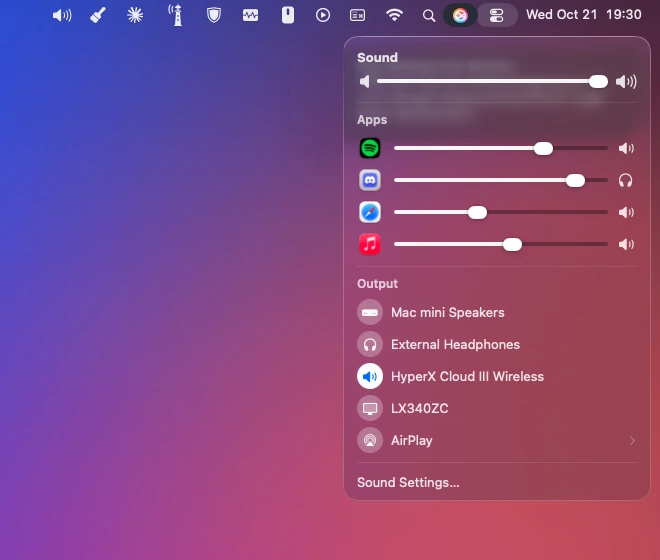
Looks native. Because it is.
Can you tell which one is Apple's?
Native Sound Mixer takes Sound's place in Control Center. Same size, same glass, same slider. Drag to compare.
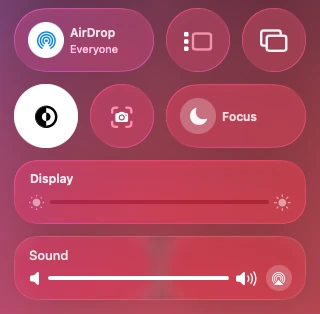
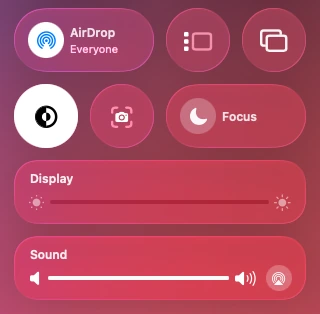 macOSNative Sound Mixer
Click Sound
Everything you know. Plus Apps.
The view that opens is the one you're used to, with the output list and Sound Settings where they always were. Above them, a slider for each app that's playing.
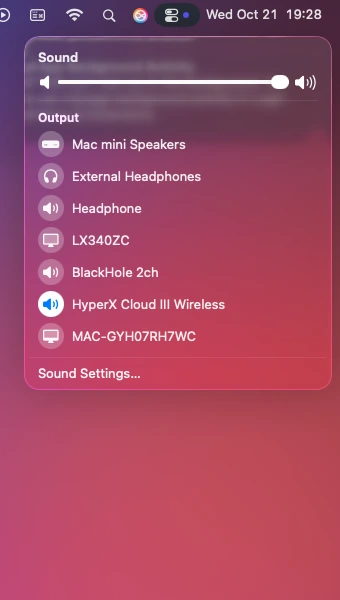
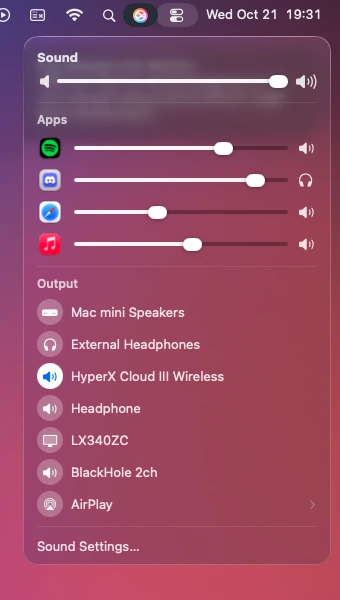
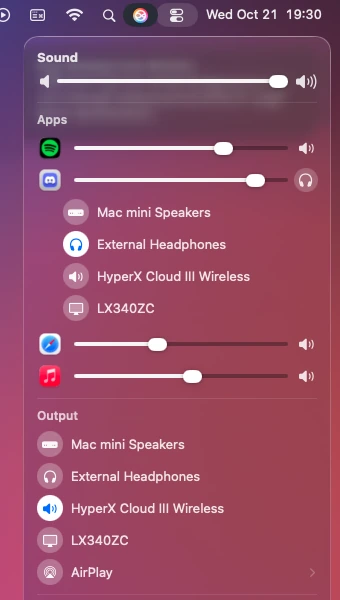
Per-app output
Calls in your headphones. Music on your speakers.
Click the speaker at the end of any app's slider and pick where that app plays. Only that app moves. It remembers, every time.
Everything you'd expect from Apple
Small app. Big quality-of-life fix.
A slider for every app
Apps appear on their own while they play. Turn a loud video down without touching your music. Click an app's icon to mute it.
All your outputs
Speakers, headphones, displays and AirPlay, in the list you already know.
Light and dark
Matches Control Center's look in either appearance.
Set up once
Starts with your Mac and quietly takes Sound's place every time.
Private by design
Sound is adjusted live as it plays. Nothing is recorded, nothing leaves your Mac, and your license is checked offline.
Setup
Three steps. Then it just works.
Allow audio access
So it can set each app's volume.
Allow it in Control Center
So it can find its place and match Apple's look.
Replace Sound
One click. Quit the app and Apple's Sound comes back.
Pricing
Buy it once. Keep it.
Launch price · one-time purchase
- Per-app volume and per-app output
- In Control Center and the menu bar
- Free updates for macOS 26, 27 and 28
- 14-day refunds, no questions asked
Secure checkout by Paddle, our reseller. Have a coupon? Enter it at checkout.
Questions
Which Macs does it run on?
Macs running macOS 26 Tahoe or later. Control Center modules from other apps arrived in macOS 26.
Does it record my audio?
No. macOS calls the permission "system audio recording" because that's how an app reaches other apps' sound. Native Sound Mixer only changes the volume as the sound plays. Nothing is saved, and nothing leaves your Mac.
Why does it need Accessibility access?
To find exactly where its module sits in Control Center, so it can match Apple's look and respond to your clicks. It reads only Control Center.
What happens to Apple's Sound control?
It's swapped out while Native Sound Mixer runs, and put back when you quit. You can also bring it back from the app's menu at any time.
Is there a subscription?
No. You pay once. Updates for macOS 26, 27 and 28 are included.
Can I get a refund?
Yes. Ask within 14 days of purchase and you'll get your money back in full.